
Uninstall
To remove a Glarysoft program from your computer, you can uninstall it using one of two methods: through the Control Panel or Settings.
Method 1: Uninstall via the Control Panel
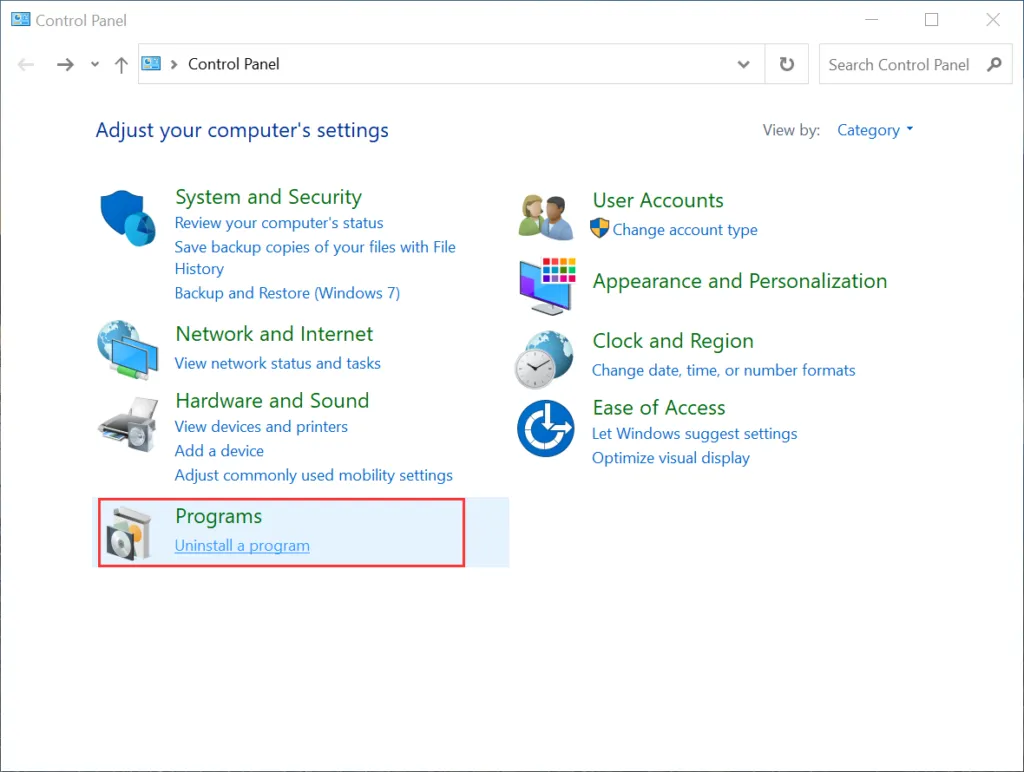
2. Within the Control Panel, locate and click on the “Uninstall a program” option. This will take you to the “Programs and Features” section.
3. Find the Glarysoft Program that you want to uninstall in the list of installed programs. Right-click on it and select the “Uninstall/Change” or “Uninstall” button.
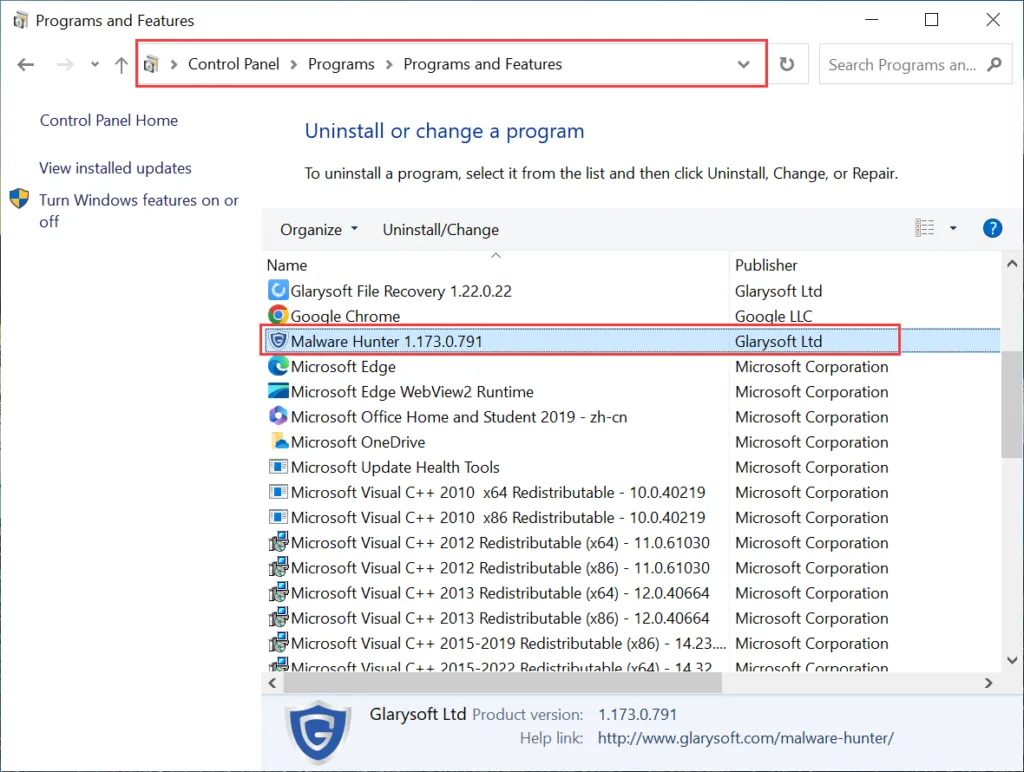
4. Follow the on-screen instructions that appear to complete the uninstallation process.
Method 2: Uninstall via the Settings
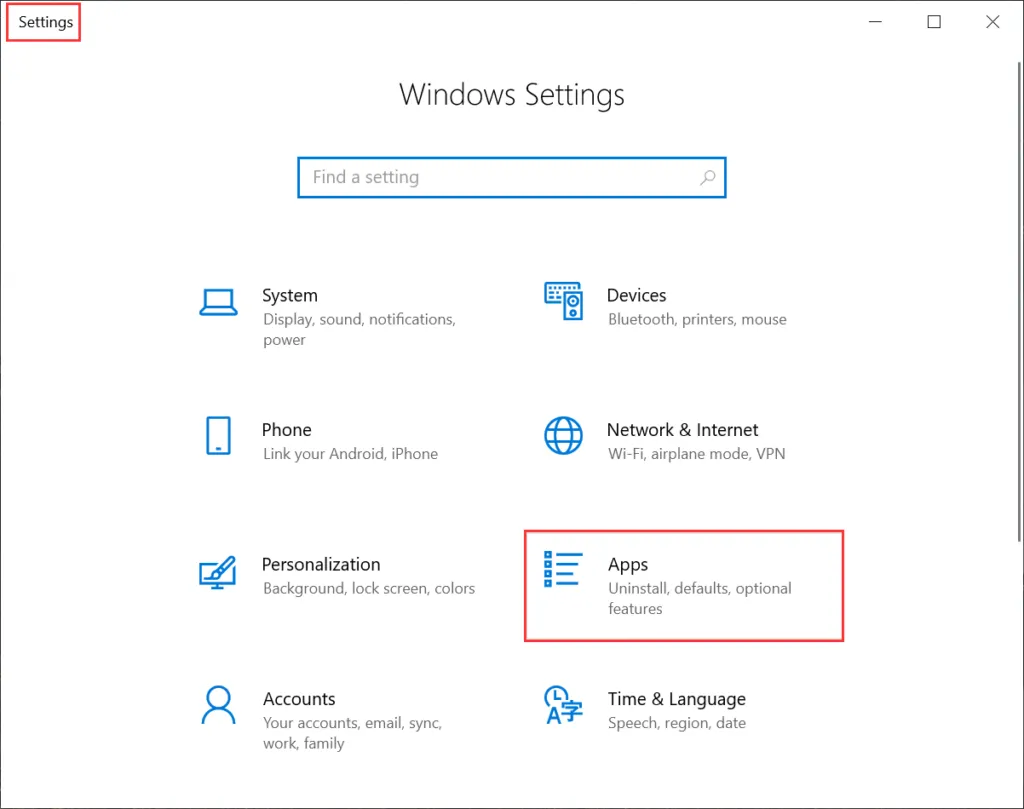
1. Open the Start menu and click on Settings, select Apps.
2. In the list of Apps & features, find the Glarysoft Program that you want to uninstall. Click on the “Uninstall ” button.
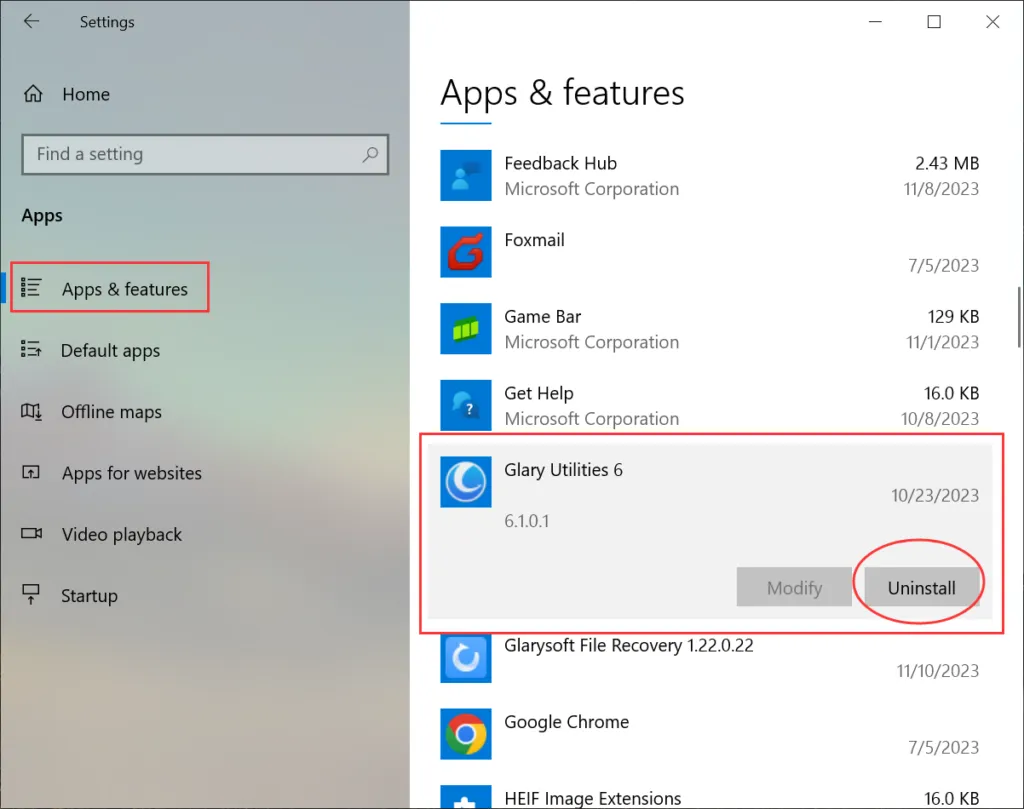
3. Follow the on-screen instructions that appear to complete the uninstallation process.
By following these steps, you will be able to uninstall a Glarysoft Program from your computer successfully.


